The star rendering behind our EVE Frontier map was written nine months ago, one prompt at a time, by models that no longer exist. This week we handed the whole thing to Claude Fable 5 — the same model, and the same free-rein experiment, as last week's monolith refactor — and let it audit, redesign, and rebuild how 24,000 star systems get drawn. The headline result: stars now blaze in proportion to their real surface temperature, the nebula backdrop matches the game's own palette (and re-themes itself with your accent color), the settings panel finally makes sense, and the backdrop draws a fraction of the GPU it used to. This post is the honest tour: what was broken, what got built, and what broke along the way.
Nine months is legacy code now
It feels absurd to call a nine-month-old codebase legacy, but that's the reality of building with LLMs in 2025–2026. EF-Map's starfield — the points, the glows, the flares, the bloom, the parallax dust — was assembled piecemeal by the models of last autumn, in the incremental, add-a-feature-where-the-wiring-is style we described in our vibe coding post. Those models did what we asked. Nobody ever asked them to check whether the pieces fit together.
So the first thing we did with Fable 5 was ask it to audit before touching anything. What it found was genuinely eye-opening:
- The bloom threshold slider had never worked. A line of code overwrote it to zero on startup, so bloom treated every pixel as "bright" — which is why turning bloom up always washed the whole scene out.
- The post-processing chain was missing its color-management stage. With bloom on, the scene skipped tone mapping and color conversion entirely. Two users with the same settings could be looking at visibly different maps depending on one toggle.
- A per-star flare rotation feature had silently never run. The code patched a shader hook that doesn't exist in the shader it targeted. It shipped months ago, looked plausible, and did nothing.
- Turning bloom on quietly disabled antialiasing. Nobody noticed because it had always been that way.
None of this is a dig at the older models — it's what incremental prompting without a review pass produces, and we wrote the same confession about our 19,846-line App.tsx. The difference now is that a frontier model can hold an entire rendering pipeline in its head, cross-check it against how the graphics library actually works, and tell you where the bodies are buried.
Free rein, again — this time on graphics
The refactor taught us that Fable 5 does its best work when you state hard constraints and get out of the way. Graphics needed a different kind of constraint than a refactor, because "don't break anything" isn't enough when the whole point is changing how things look. Our rules were about taste and product, not method: no fake decorative stars (every point of light on the map is a real system you can fly to), no twinkling or shimmer, effects should concentrate near real stars, and Performance Mode — the lifeline for laptops and integrated GPUs — must be completely unaffected.
Everything else was the model's call, on a feature branch, with a preview deployment for human eyes at every milestone. It researched first (auditing the repo and the rendering library's documented behavior), wrote itself an implementation plan, then worked through it over roughly two days: foundation fixes, then the HDR work, then the backdrop, then performance. Where a judgment call was genuinely subjective — how strong should bloom be? how warm should the nebula run? — it added a slider to the settings panel and let the human tune, then locked the tuned values in as the new defaults for everyone.
HDR stars, graded by real astrophysics
The centerpiece is something we've wanted since the map launched. EVE Frontier presents itself as science-grounded — real stellar classifications, real orbital mechanics — and our database already stores the actual surface temperature of every star in the cluster. The old renderer ignored all of it: every star core was equally bright, and "importance" was just size.
Now brightness is physics. Each star carries an emissive multiplier derived from its temperature on a logarithmic ramp from 2,300K red dwarfs (1×) to 40,000K blue giants (about 6×), and the bloom pass — with its threshold finally functional — only ignites on cores that are genuinely hot. Combined with realistic star colors (which we've now turned up to 100% by default, using Harvard-classification chromaticity), the effect at the overview zoom is exactly what a star cluster should do: a sea of dim orange embers, punctuated by furious blue-white beacons you can spot from across the region.
Why this fits EVE Frontier
The game's fiction leans hard on hard science, and its community routinely plans routes around stellar class. Making the hottest stars visibly blaze isn't just prettier — it turns a database column players care about into something you can see at a glance, no overlay required.
The same empty corner, before and after
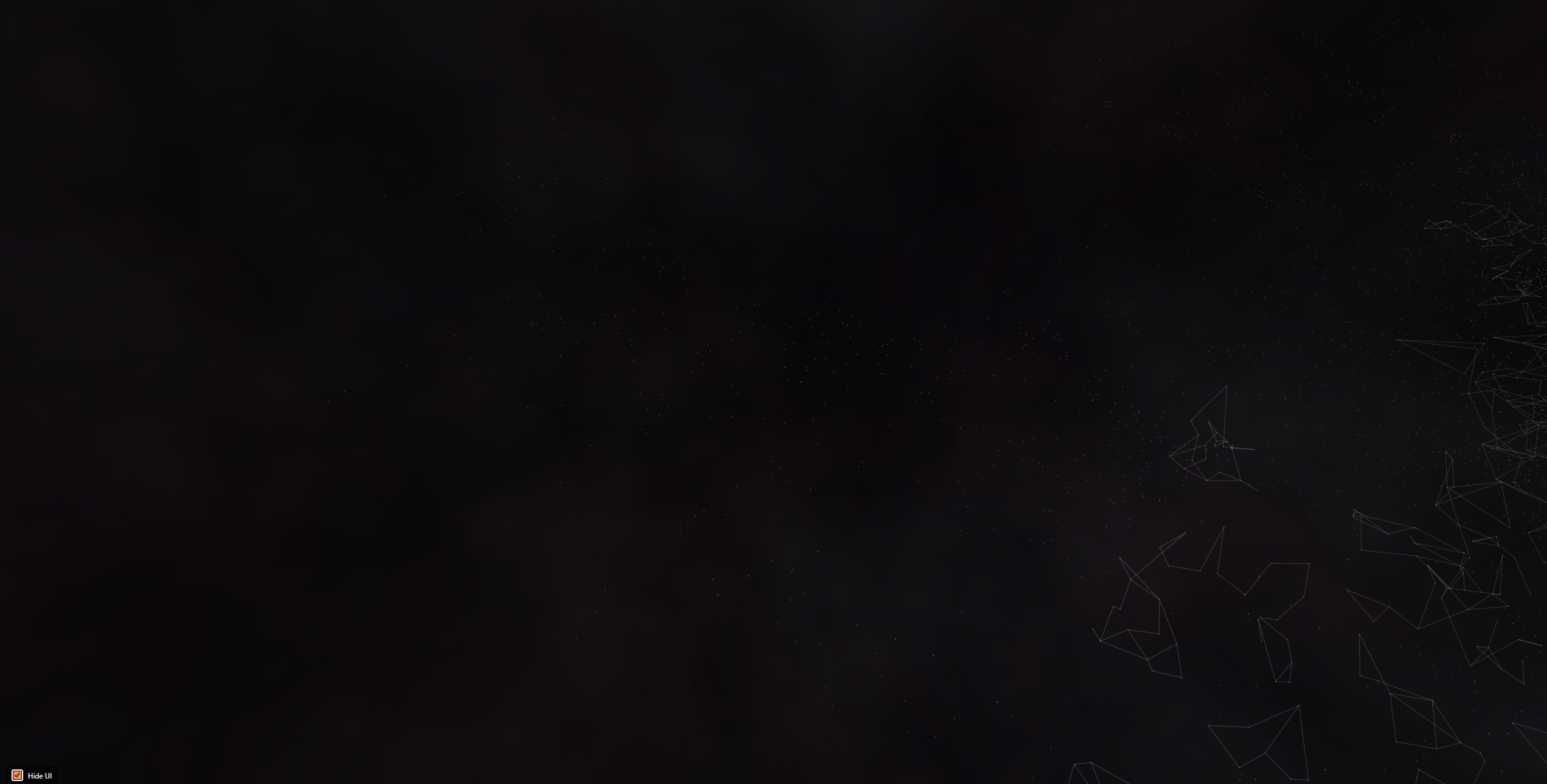
The change is easiest to see where the map is at its sparsest. Both captures below are from the top-left corner of the cluster — same camera distance, fresh default settings on each build, unedited. Click either image to open the full-resolution capture; the single-pixel stars in the first one deserve it. First the old renderer:
And the same view today:
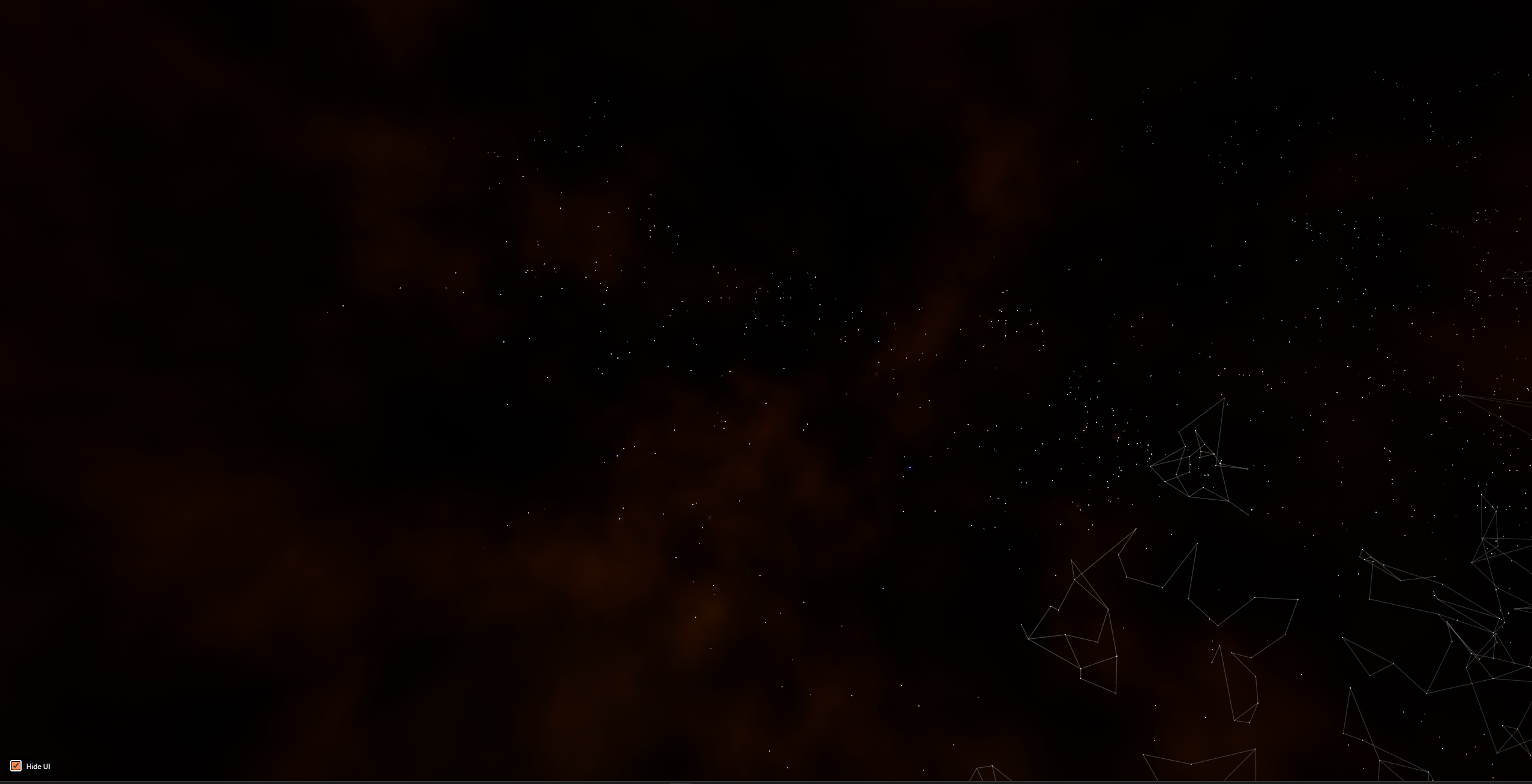
Here's the part worth being precise about: every star is in both pictures. The old renderer never dropped a system — at this distance each star computes to less than a pixel, and the old pipeline drew every one of them as a bare single-pixel speck. Present, but so faint and colorless you'd swear the corner was empty. The new pipeline gives every star a minimum ~2-pixel anti-aliased disc that keeps its full spectral color, with brightness ranked by its real temperature — so the same stars now read as stars, not dust on the monitor. The retuned backdrop does its share too: the old wash of flat grey is now a nebula with actual structure, which gives the field something to stand against. Nothing was added to this frame. It was all there, one pixel at a time, waiting for a renderer that would let you see it.
A nebula that matches the game — and your theme
The parallax dust backdrop — three layers of procedural nebula that drift behind the stars, which we first wrote about in our backdrop depth post — got retuned from scratch. The new palette was picked by eye against EVE Frontier's own promotional footage: warm rust and amber up close, with a cold blue-grey far layer for depth. It reads as the game's universe now, not a generic space wallpaper.
Then came the neat trick. EF-Map has three interface accent themes — orange, blue, and green — and the tuned palette turned out to have a structure worth exploiting: warm-dominant near layers against a cool counterpoint. So instead of authoring three separate palettes, the renderer simply remaps the color channels of the orange reference when you switch themes. Pick the blue accent and the nebula goes cool cyan with a warm-dimmed horizon; pick green and it turns emerald with a violet depth. Zero extra assets, zero extra settings, and the whole map suddenly feels theme-coherent in a way it never did.
The backdrop now costs almost nothing
The performance find of the project: those three nebula layers were computing roughly fifteen layers of procedural noise per pixel, per layer, per frame — millions of evaluations every frame to draw clouds that never change shape. Fable 5's fix was to bake each layer's noise field into a texture once at startup, after which drawing the backdrop is a single texture lookup. Brightness, contrast, color and parallax all stay live, so every slider still works; the expensive part simply stopped being recomputed 60+ times a second.
We verified the swap was pixel-identical before shipping it, and the difference is measurable: in informal testing on the development machine (a 1440p monitor on a mid-range GPU), overall map GPU utilization at uncapped frame rates dropped by roughly a third. Players on Performance Mode won't notice anything — that mode never drew the backdrop — but for everyone in between, the same look now leaves substantially more headroom. The rest of the performance pass was quieter housekeeping: a star-recoloring pipeline that repainted all 24,000 stars twice per toggle now does it once, and a region-outline mode that allocated hundreds of identical GPU materials now shares one.
Tidying nine months of settings
Every effect above is tunable, which surfaced a problem of its own: nine months of display settings had accreted into one very long window. It got the same treatment as the graphics — reorganized into four tabs (General, Starfield, Backdrop, Interface) with a consistent card layout, collapsible groups, and honest descriptions on every slider.
And because there are now some fifty dials, we added Export and Import: one button copies your entire display setup as JSON, another applies someone else's. If you dial in a look you love, you can share it; if you make a mess, one click restores our defaults. A small bonus toggle landed in the same pass: signed-in players who see the community's green/red gate-status reports on the map can now switch that layer off — handy for decluttering, or for taking clean screenshots.
What broke along the way
Free rein cuts both ways, so here's the confession section. The new renderer is more honest than the old one — and that honesty broke a feature. Our "Focus Region" tool used to keep out-of-region stars visible as faint one-pixel dots. It turns out that behavior was never actually written anywhere: the old code set those stars' size to zero, and the GPU driver quietly refused to draw nothing, clamping them to one pixel anyway. The feature was an accident. When the new pipeline made "zero size" honestly mean "invisible," the dots vanished — while the stars stayed hoverable, which made for a genuinely confusing bug report.
The fix was to make the accident a contract: scoped-out stars now carry an explicit marker the shader renders as a deliberate faint dot. But the episode is the lesson in miniature. LLMs will faithfully break behavior that only ever existed as a driver quirk, and no amount of code review catches what was never in the code. What caught it — and the three other regressions of the week — was empirical verification: headless-browser screenshot comparisons, live scene probes, and an operator who actually flies around the map after every preview deploy.
Tuned on one monitor, shipped to everyone
A final honest note about whose taste you're looking at. EF-Map started as a tool its operator built because he needed it, and the visual defaults are tuned the same way: on his 1440p monitor, to his preference, checked against 1080p so nothing falls off smaller screens. Is that selfish? Maybe — but somebody's eye has to pick the defaults, and his is the one on the map most hours of the day. The mitigations are real, though: every choice is a slider, the old flat look is a few settings away, exports make any configuration shareable, and Performance Mode users see no change at all. Some players will love the new stars. Some won't notice. We'll publish and find out.
| Starfield | Before | After |
|---|---|---|
| Star core brightness | Uniform | Ranked by real surface temperature (1×–6×) |
| Bloom threshold | Overwritten to zero (slider dead) | Functional — only hot cores bloom |
| Color management with bloom | Skipped entirely | Hue-preserving tone mapping on every path |
| Nebula backdrop cost | ~15 noise samples per pixel per layer, every frame | One texture lookup (baked at startup) |
| Display settings | One long window | Four tabs + JSON export/import |
| Performance Mode | Unchanged | Unchanged — by design |
What's next
The changes ship to production alongside this post. If you play EVE Frontier, open the map, zoom out over a dense region, and look for the blue-white stars burning through the field — that's real temperature data you're seeing. If the new look isn't for you, everything is in Display Settings, and we genuinely want to hear what you retune: every default started as somebody's slider position, and the next one could be yours.
Related Posts
- Refactoring a 19,846-Line Monolith with Claude Fable 5 — the first free-rein Fable 5 experiment, on the codebase instead of the pixels
- Fixing EF-Map's Parallax Backdrop — where the nebula layers this post retunes originally came from
- Making EF-Map Faster: Three.js, WebGL, Performance Mode and FPS Caps — the low-end lifeline this overhaul was required not to touch
- Vibe Coding: Large-Scale LLM Development — the methodology behind building EF-Map without writing code by hand