Someone asked me today where to find the new Log Parser. I said it's in the Tools Library under Intel and Activity, and the reply was that they couldn't see it for looking at it. I don't know if that's a Scottish saying or just a family one, but it summed up something that's been bothering me for a while. EF-Map has around forty tools in it now, and the way they were presented was a small icon with one or two words underneath. Gate Activity. Log Parser. Fine if you already know what those are. Not much use if you don't.
I had tried to fix this before. Back in July I added an info strip along the bottom of the Tools Library, so when you hovered an icon it told you what the tool did. That helped a wee bit, but it still relied on you hovering the right icon in the first place, and if the words "Log Parser" mean nothing to you then you're not going to hover it. Finding a tool and knowing a tool exists are two different problems, and I'd only been working on the first one.
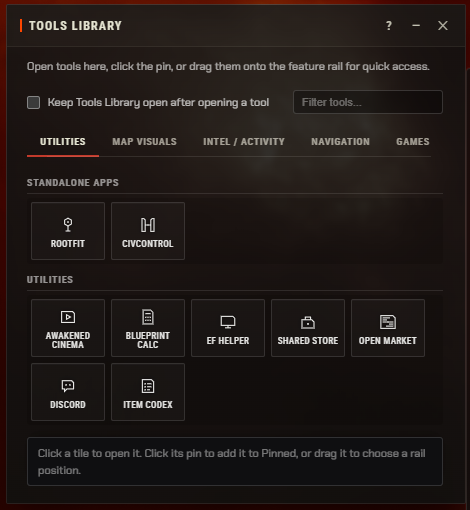
That's the Utilities tab as it was this morning. Nine tools, each one a 74 pixel square. Now, I'm not a UI designer, so my first idea was basically adverts. If the map had been sitting idle for a bit, a card would pop up under the toolbar saying have you tried this, with a little animation of what it does, and clicking the map would make it go away. I had a feeling it might be a bit intrusive, but I wasn't sure, so rather than build it I asked the agent for a mock-up I could open in my browser. No code changes, no feature branch, just an HTML page that looked roughly like EF-Map with five different ideas I could flick between.
That turned out to be the useful bit. The advert idea looked exactly as annoying as I'd feared once it was in front of me. People would just dismiss it, the same way I dismiss every popup in every app I use. The in-context nudges, where a hint appears in the routing window after you plot a route, I wasn't a fan of either. But one of the five was the Tools Library with the icons turned into small cards, each with a wee animated sketch of what the tool does, the name, and a line of description. I liked that straight away, and I think the mock-up saved me a couple of hours and a fair bit of inference compared to building the wrong thing first and finding out afterwards.
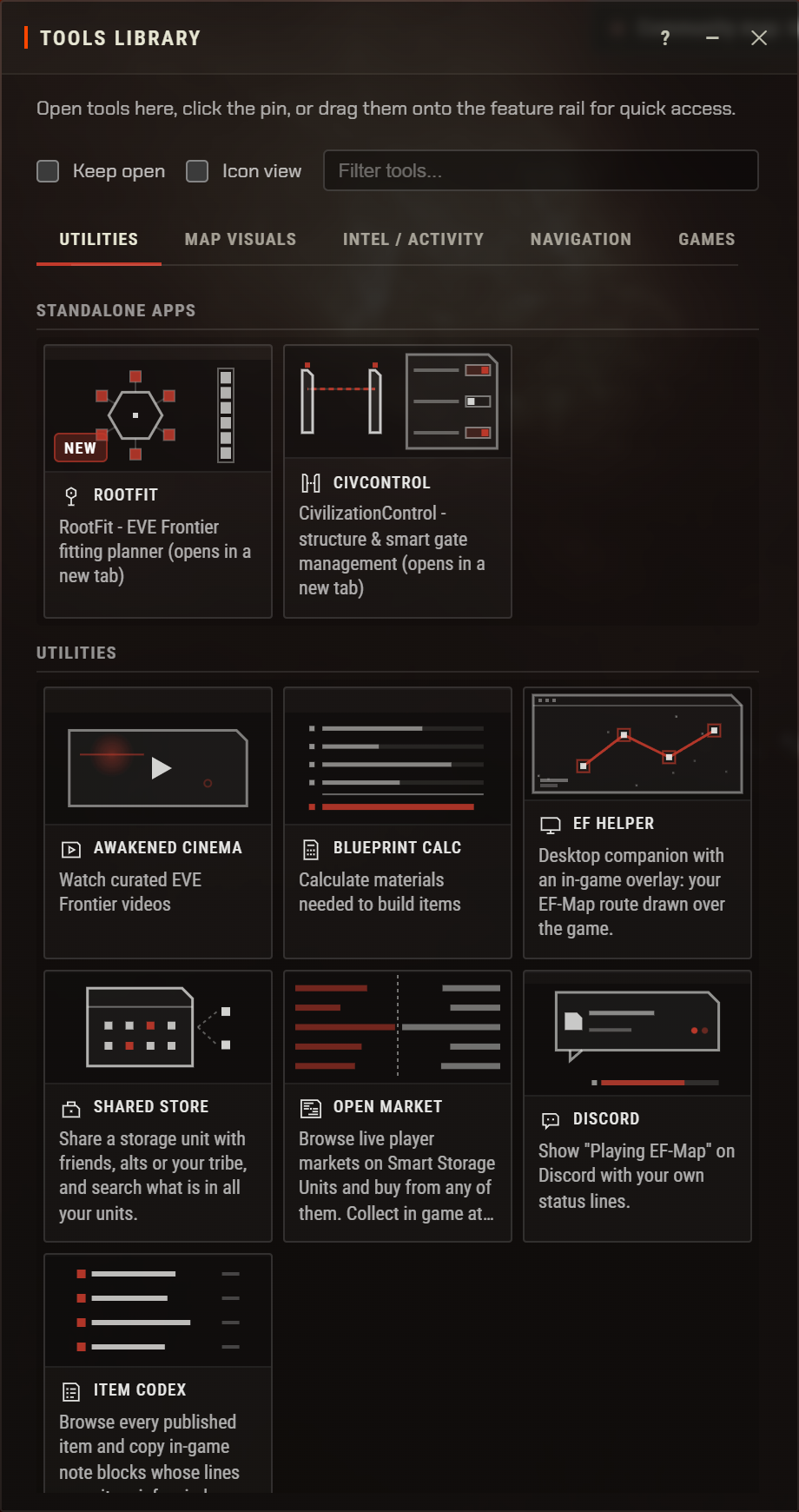
So that's what shipped. Same window, same five tabs, but every tool is a card now. The sketches are not screenshots, they're tiny drawings done in code, 42 of them, which means they don't go stale when I restyle a panel and they take on whatever accent colour you've picked. At rest they're still. Hover one and it moves for as long as you're over it, which I think gets across what a tool does better than any sentence I could write. The description underneath is the same text the tooltip always had, in all seven languages, so there was no new copy to write for most of them. The window also sizes itself to whichever tab you're on and glides to the new height rather than snapping, because switching from Utilities to Navigation otherwise left a big empty gap at the bottom.
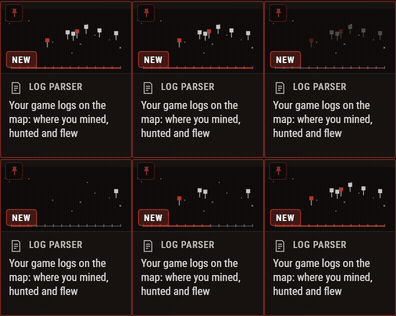
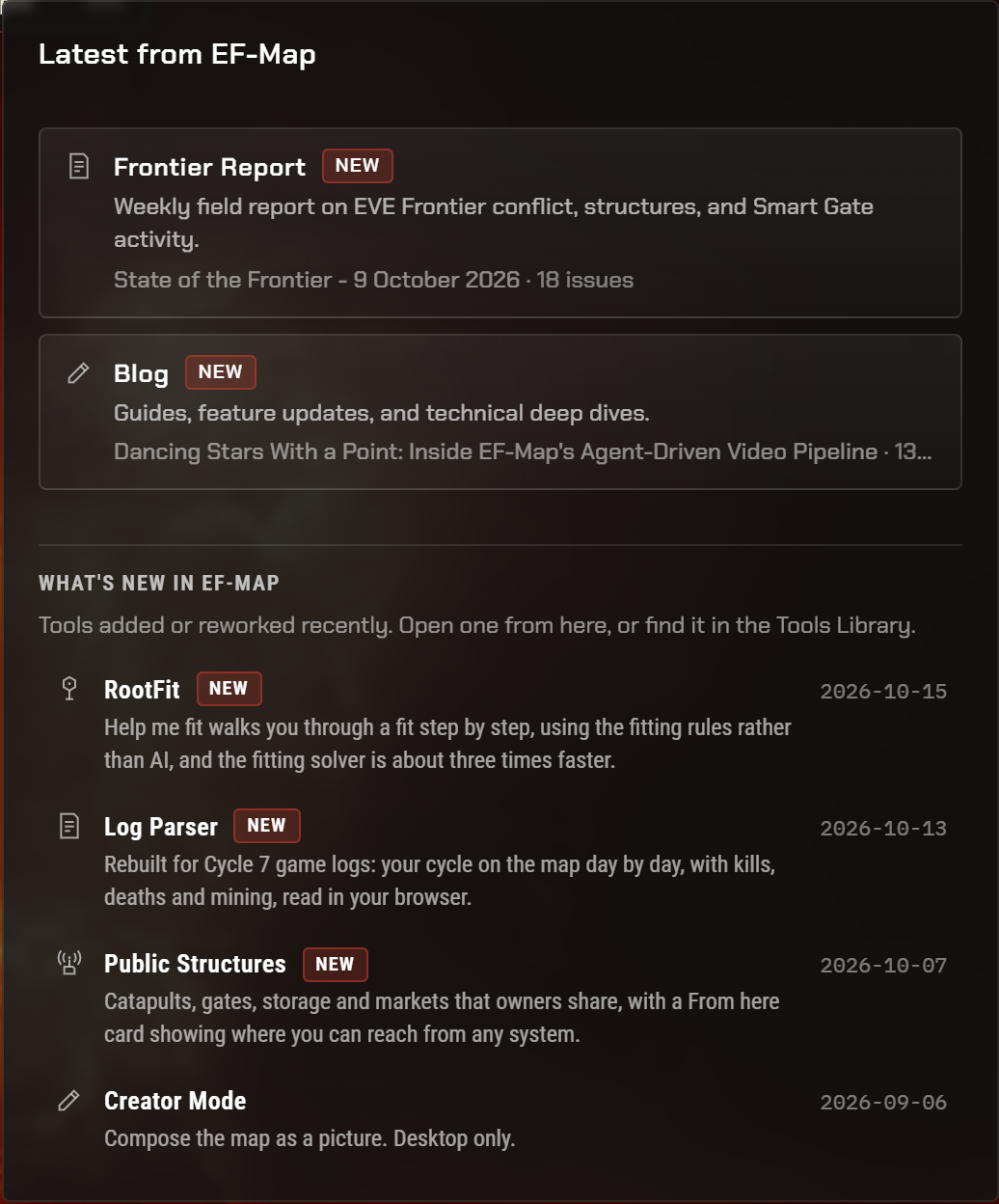
The other half is the News button in the top right. It already lit up when there was a new State of the Frontier or a new blog post, so it made sense to use it for new tools as well. There's now a What's new in EF-Map section under those two links. At the moment it's showing RootFit, because the Help me fit wizard went in today along with a fitting solver that's about three times quicker, then the Log Parser rebuilt for Cycle 7, then Public Structures. Each one says what actually changed rather than what the tool is, and clicking it opens the tool. Anything shipped in the last 30 days also gets a New chip on its card in the library, and the dot on the News button lights until you've opened it.
What I was keen on was that this doesn't become another thing I forget to update. All of it comes from one list in the code, one entry per tool, with the date it last changed. The agent's instructions now say that when something user-facing ships, it has to ask me whether it goes in What's new, and if I say yes it bumps the date and writes the one line. There's also a test that fails the build if a tool is in the library without an entry in that list. So it should stay honest, or at least it'll be my fault rather than the code's if it doesn't.
I'm not sure the cards help everyone equally. If you use EF-Map every day you've probably memorised where things are, or you've pinned the ones you use to the rail, and a description of the Log Parser is not news to you. The News section is useful for everybody I think, but the cards are mostly for people who are newer or who dip in and out. Nobody likes change, so there's an Icon view tick box next to the filter that puts the old tiles back, and it remembers your choice. That got added after the fact, when I was looking at the preview and thinking about who might not want it. I try to leave an escape hatch where I can.
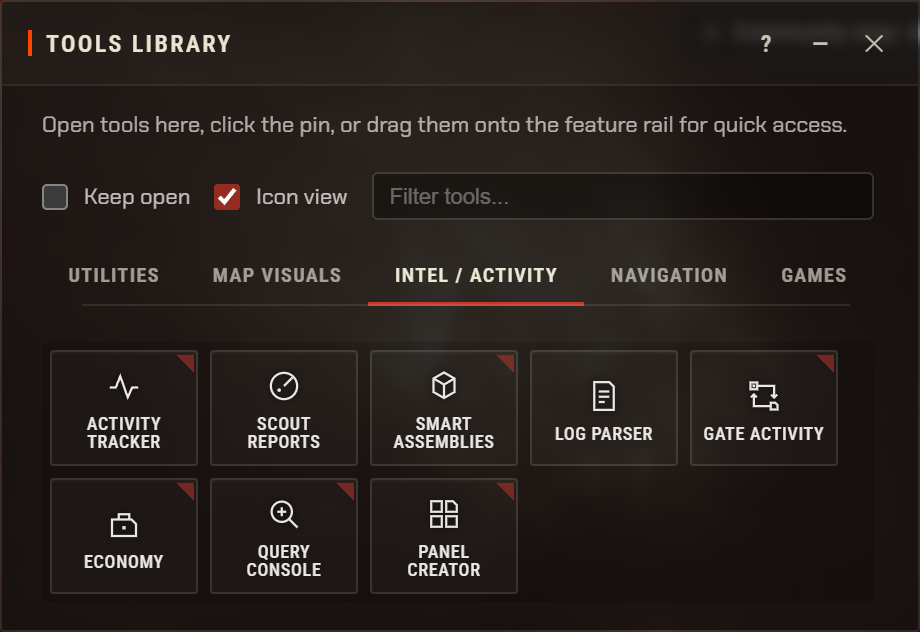
I've also started counting a few things from today, how many people open a tool from the What's new list and how many switch to Icon view and whether they switch back, so in a month I should know whether any of this was worth it or whether it was just me being bothered by a tidy-looking grid. If you can't find something, or the cards get in your way, let me know and I'll have a look.