EVE Frontier officially runs on two platforms, Windows and Mac, and the system requirements are gentler than you'd guess from the screenshots. That's the short version. The longer version, which is what this article is for, covers what the official specs actually mean in practice, what the game runs on in the real world including a 10-year-old PC of mine, and the honest state of the console, Steam Deck and Linux questions people keep searching for. I play daily and build EF-Map for it, so the numbers below are from my own machines rather than a spec sheet.
The official requirements
Straight from the official download page as of August 2026:
| Minimum | Recommended | |
|---|---|---|
| OS | MacOS or Windows 10 64-bit | MacOS or Windows 10 64-bit |
| CPU | Dual core @ 2.0 GHz | Intel i7-7700 or AMD Ryzen 7 1700 @ 3.6 GHz+ |
| RAM | 4 GB | 16 GB |
| GPU | AMD Radeon 5450 or NVIDIA GeForce 420, 1 GB VRAM | NVIDIA GTX 1060 or AMD RX 580, 4 GB VRAM |
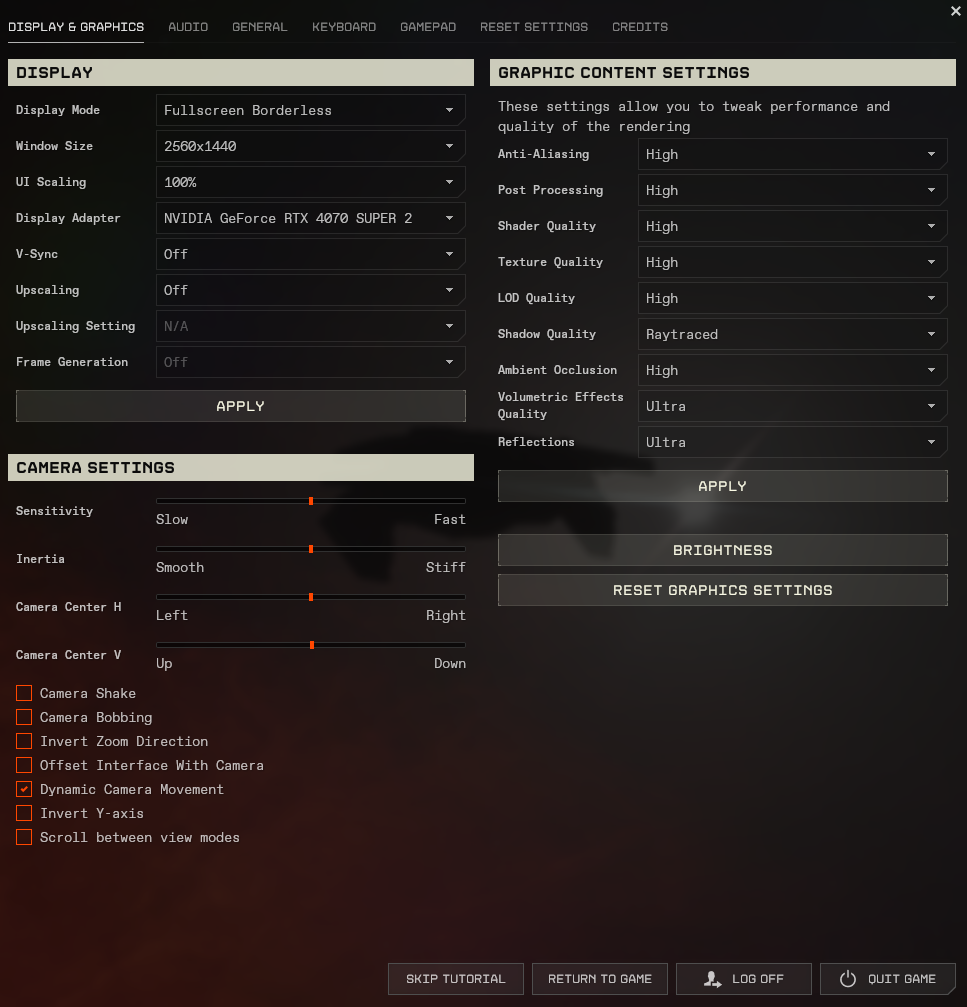
Those are strikingly lax numbers for a 2026 game, and I think there are two reasons. The first is heritage: EVE Frontier runs on an evolution of the same Carbon engine as EVE Online, a game famous for running on potatoes, and I half suspect these requirements started life as EVE Online's. The second is that they're clearly low-settings numbers. My read, having played across a range of hardware, is that the recommended spec gets you a comfortable game at medium settings, not maxed. The engine has grown modern features since EVE Online, ray tracing among them, and those want a proper GPU.
What it runs like on real machines
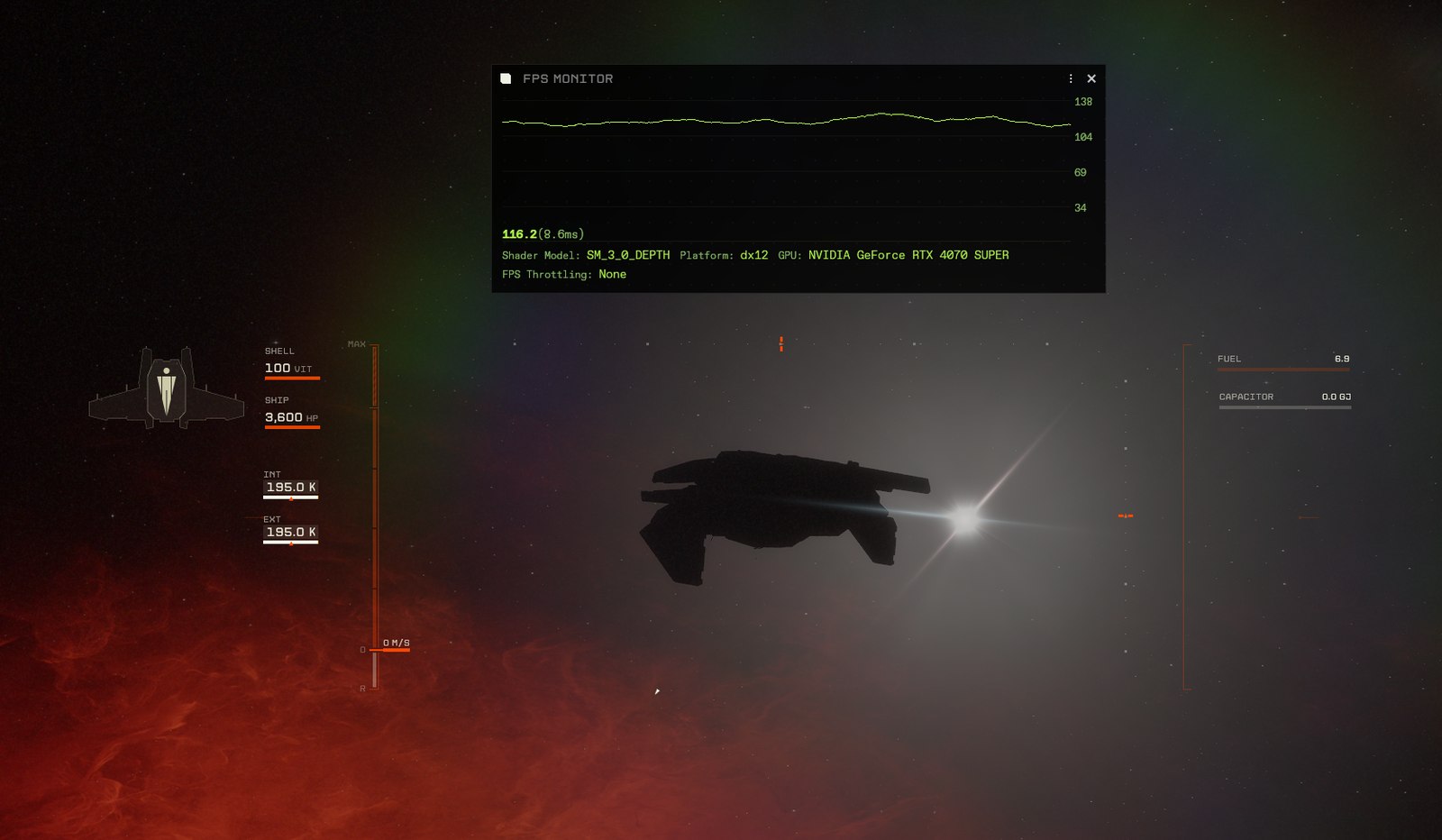
My main PC is an AM4 build, a Ryzen 7 5700X3D with 32 GB of RAM and an RTX 4070 Super. On that, everything maxed, the game never gives me a moment's trouble, and I'm usually running it alongside multiple VS Code instances, Discord and a browser full of tabs, because building tools while playing is half my gameplay. No stutters, no slowdowns, nothing to report, which is what you'd expect at that spec.
The more interesting data point is my second PC, because the bones of it are nine years old, the motherboard purchase in my order history is dated May 2017. It started life with a Ryzen 1600, an RX 580 and 16 GB of RAM, and the only things I've ever changed are the CPU and the graphics card, now a 5600X-class chip and an RTX 3070. That machine runs three EVE Frontier clients at once on medium settings, and runs them fine. Each client gets throttled when it isn't the active window, which is what makes it workable, but there's no stuttering and nothing feels broken. I genuinely couldn't run three instances of Cyberpunk on that box, and the fact this game manages it on a nine-year-old platform kind of blows my mind. EF-Map plays the same trick in the browser, incidentally: when you're not interacting it idles at five frames per second, which is why you can leave the map open on a second monitor next to the game for negligible GPU cost. If you're curious why anyone runs three clients, that's its own article.
One caveat I keep seeing on the official Discord: laptops. People see a 4070 badge on a laptop and expect desktop 4070 performance, and laptop GPUs just aren't that, they're a different, slower part with the same name, usually thermally limited on top. A lot of the performance complaints I read trace back to a warm laptop also running Discord and a browser, on a game that is, fairly, not optimised yet. It's an alpha. Optimisation passes come late in development, so today the honest advice is: most gaming desktops from the last several years should be fine, drop the settings if yours isn't, and pump them back up when you want a screenshot.
Mac, console, Steam Deck, Linux
Mac support is real and official, the FAQ and download page both list macOS, and it's easy to miss because almost nobody talks about it. I have heard reports on Discord of Mac performance problems recently, which may or may not have been fixed by the time you read this, so if you're Mac-only I'd lean extra hard on the free trial before buying anything. Treat that as hearsay from a Windows player, because it is.
Consoles: there is no PS5 or Xbox version, and I can't find a single official statement about console plans in either direction, not even a "no plans". Given the game is years from launch and the UI is only now growing gamepad support, I wouldn't expect console news for a long time, if ever. If a console version happens it'll be after the PC game launches, and that's me reasoning, not reporting.
Steam Deck and Linux are the lively ones. The devs have confirmed internal experiments running the game on Steam Deck, with the launcher named as the main blocker rather than the game, and there's a community Linux thread on the official Discord with around 1,200 replies of people getting it working themselves. None of it is official support. I've covered the whole picture, including the Valve blockchain rule that complicates an actual Steam listing, in the Steam article.
The bottom line
If you have a gaming PC made in the last several years, EVE Frontier should run, and probably better than an in-development alpha has any right to. If you have a nine-year-old PC with a mid-range GPU transplant, it may well run three copies. If you have a Mac, it officially works but check the trial first. And if you have a PS5, you're waiting on an announcement that hasn't happened. The five-day trial is free and answers the only benchmark that matters, which is your own machine. Once you're in, the map is on me.
Related Posts
- Is EVE Frontier on Steam? - the launcher, Steam Deck experiments and the crypto rule
- Can You Multibox EVE Frontier? - the three-clients-on-one-PC story in full
- What is EVE Frontier? A Player's Answer - what you're actually installing
- My EVE Frontier Review After 18 Months - how the alpha actually plays day to day