So earlier today I put up a post about how this thing got built, most of it overnight while I was asleep, and in the first paragraph of it I said I would do a proper post about the tool itself with a video once I had had a play with it in anger. This is that post. Custom intelligence panels are live on EF-Map, they went from a planning document at about eleven at night to a finished build by five the following afternoon, and the thing I actually want to show you is not the plumbing. It is how little you have to do to get a dashboard out of it.
The dashboards I picked, and the ones I did not
EF-Map has shipped intelligence dashboards for a while now. Gate Activity, the Economy panel, the Activity Tracker, the dossiers. Underneath they all work the same way. A cron job runs a query that I wrote, every few minutes, publishes the answer, and everybody who opens that panel reads the same cached result. I think that is the right default for most people, and I have touched on this in earlier posts. It is instant, it costs one cached read whether five people look at it or five hundred, and most of the time what somebody wants is the obvious question answered properly rather than an empty canvas and a blinking cursor.
But static dashboards are not where the flex is. There is a whole set of players and tribes who need something specific and slightly odd. Watching one corner of space. Tracking one fuel type through one storage unit. Ranking their own members by something nobody else in EVE Frontier cares about. The honest answer to those people used to be run your own indexer, which means a server, a database, some understanding of how chain data lands, and quite a lot of your evenings. Almost nobody is going to do that for a game, and I would not blame them.
The Query Console was the first real step past that. You ask the live indexer a question, you get a table back, and you never had to run any of it yourself. What you could not do was keep the answer. In its first six days live there were 251 query runs, and one identical query got manually re-run 17 times. That is somebody rebuilding their own dashboard by hand, over and over, because there was nowhere to put it. Custom panels exist to kill that.
What the Panel Creator is
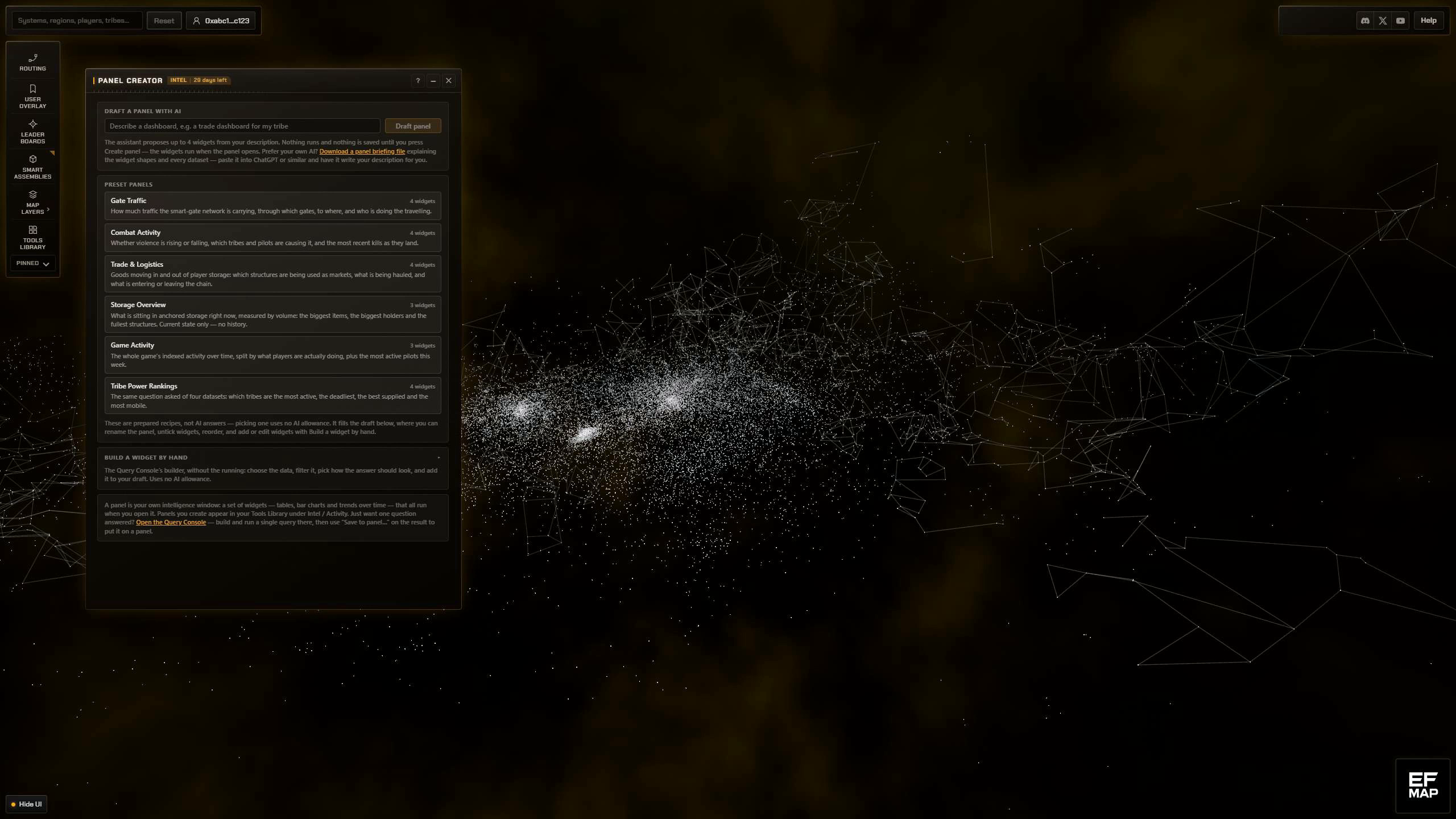
The Panel Creator is its own tool window, in the Tools Library under Intel and Activity, right next to the console, and it sits on the Intelligence side of the line, more on that at the end. A panel is up to six widgets stacked in a window. A widget is one question plus how you want it drawn, so a table, a bar chart, or a line over time. There is no blank canvas anywhere in this, every widget is a query. There are three ways to end up with one, and they all feed the same review list.
| Route in | What it does | Talks to the AI |
|---|---|---|
| Draft with AI | Describe the dashboard in a sentence, get up to 4 proposed widgets | Yes |
| Preset panel | One click on a ready-made recipe, six of them ship | No |
| Build by hand | The Query Console's own builder controls, with no Run button | No |
The plain English route is where I would start. You type something like a trade dashboard for my tribe, and it comes back with a proposal. It only ever proposes. Nothing runs, nothing is saved, and no panel exists until you have read each widget's question written out in plain English, ticked the ones you want, named the panel and pressed Create. Anything it could not build is listed with the reason rather than quietly dropped. That was a locked decision on day one of the plan and I would not change it, because an assistant that silently runs four database queries and opens a window you did not ask for is a bad tool no matter how good the queries are. EF-Map has done this a layer down before with the System Finder, where you describe the kind of system you are after and it fills the filters in for you. Same idea, bigger object. The drafting call is the one bit of this that costs real compute to serve, so it has a daily fair use cap, shared with the console's plain English assistant. It comes with the subscription rather than being anything separate, and it is set high enough that I would be surprised if anyone ever notices it.
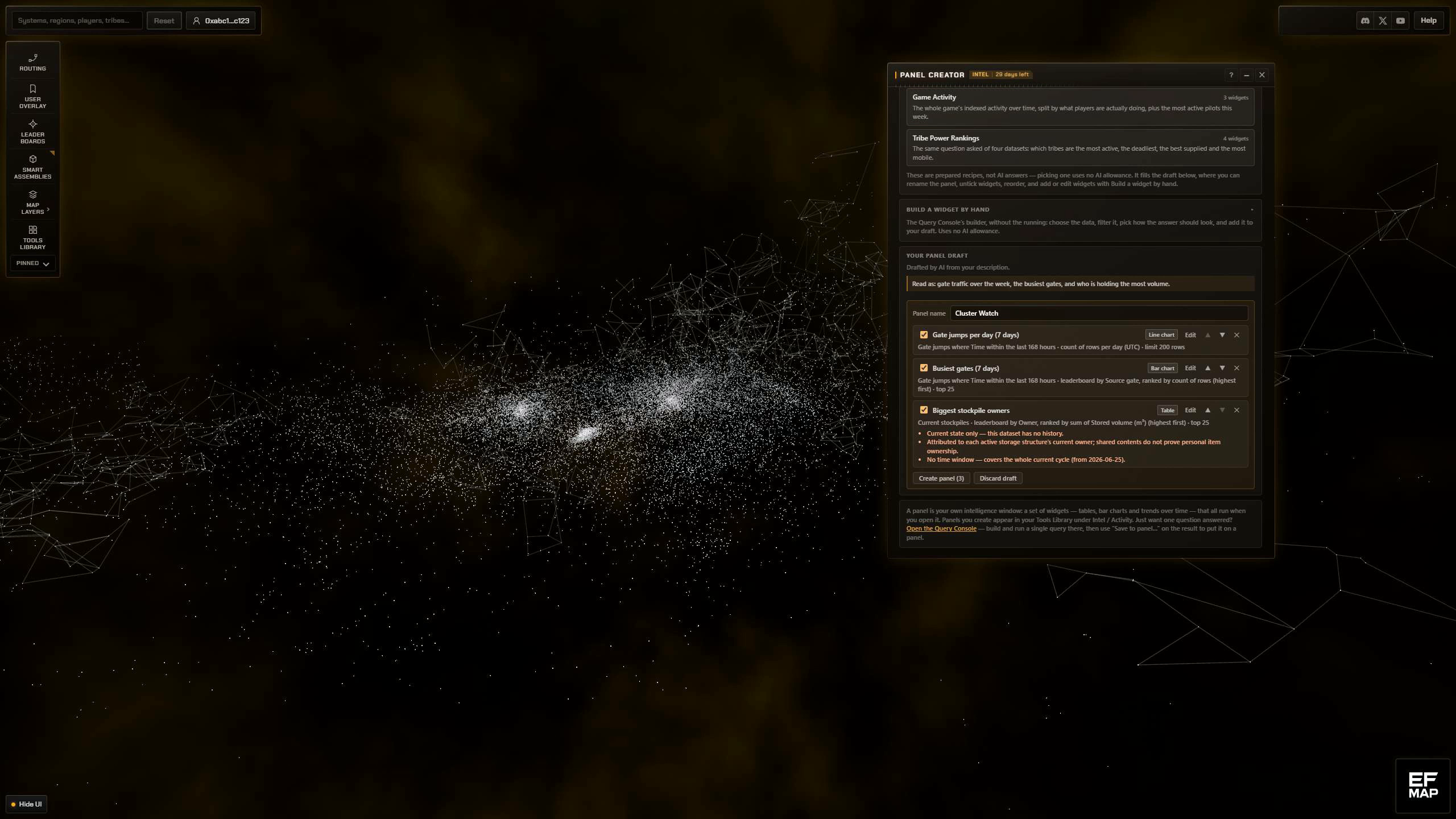
The preset panels are for anyone who would rather not talk to an AI at all. Six of them ship, covering gate traffic, combat activity, trade and logistics, storage, general game activity and tribe power rankings. They are hand-authored and completely deterministic, so no server call, no AI involved, and the same click always gives you the same widgets. They land in the same review list as an AI draft, which means you can strip out the two you do not care about before you create anything. They are meant as a base to edit rather than a finished answer.
The by-hand builder is the part I am quietly happiest with. It is not a new builder. It is literally the Query Console's own controls, the same component lifted out and shared, so the dataset picker, the filters, match all and match any, the leaderboard and over-time modes all behave exactly the way they do in the console. One query language, one implementation, which is mostly so I do not end up maintaining two of them that drift apart. The Run button is gone, and with it the results, because digging into a single question is still the console's job and a panel widget runs when the panel opens. What it adds instead is a title for the widget and a pick of how to draw it.
And if you have already run the query, you do not need this window at all. Every result in the Query Console has a Save to panel control under it that puts that query, drawn the way you are looking at it, straight onto a panel, new or existing, skipping the draft entirely. That is the answer for whoever ran the same query 17 times.
A panel is not fixed once it exists either. Edit mode on the panel renames it or any widget, reorders them, switches a widget between table, bar and line where the numbers can actually be drawn that way, and deletes widgets. Add widget reopens this same window against that panel, so all three routes point at it instead of at a new one, right up until it is full, and deleting a widget is how you get back under the six cap when it bites.
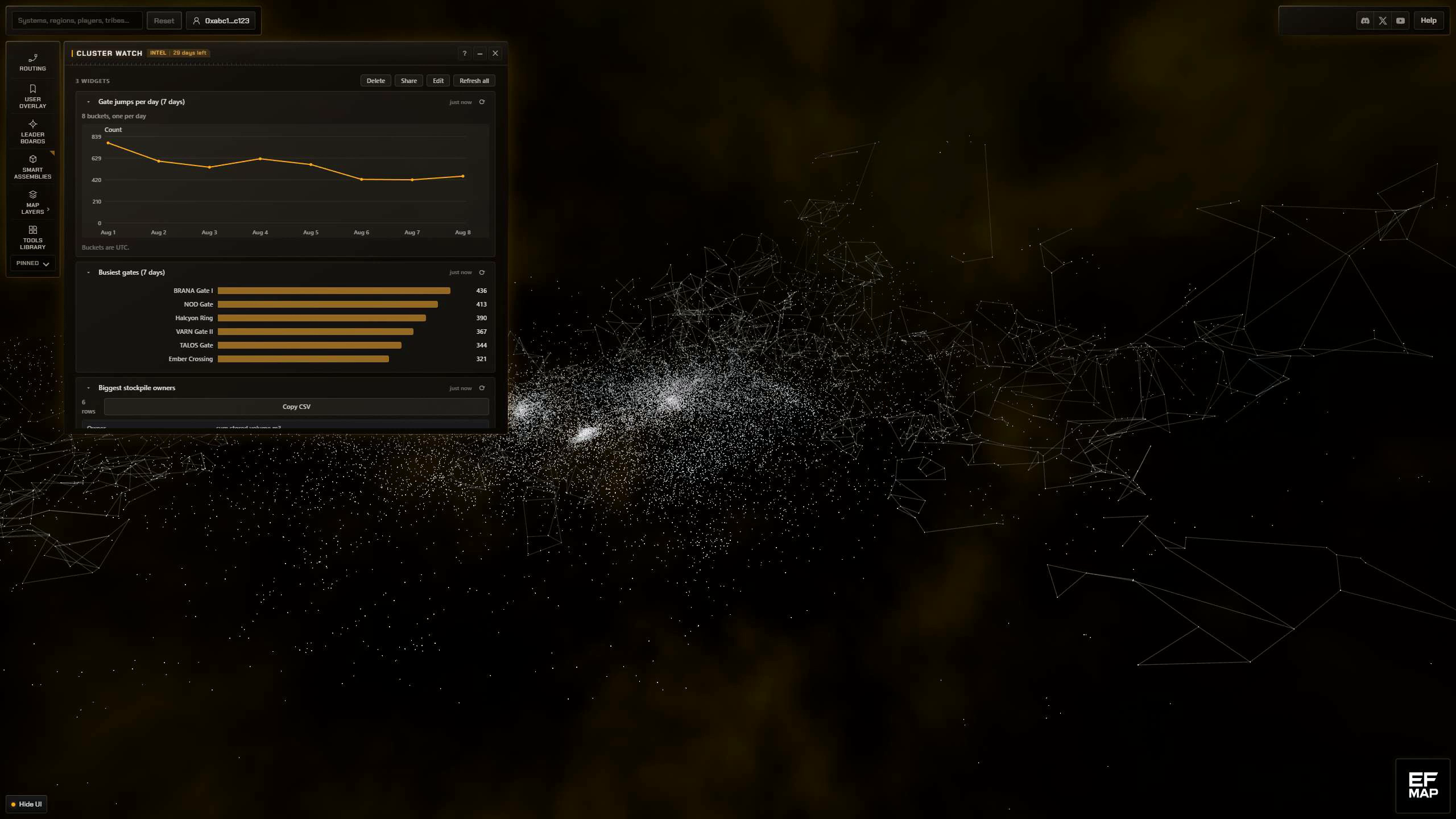
One honest note on these screenshots and the clip above. The interface is the real production build, but the numbers and names in it are synthesized demo data, because the alternative was pointing a camera at real players' stockpiles. On your own screen the widgets run against the live indexer.
It behaves like anything else in the app
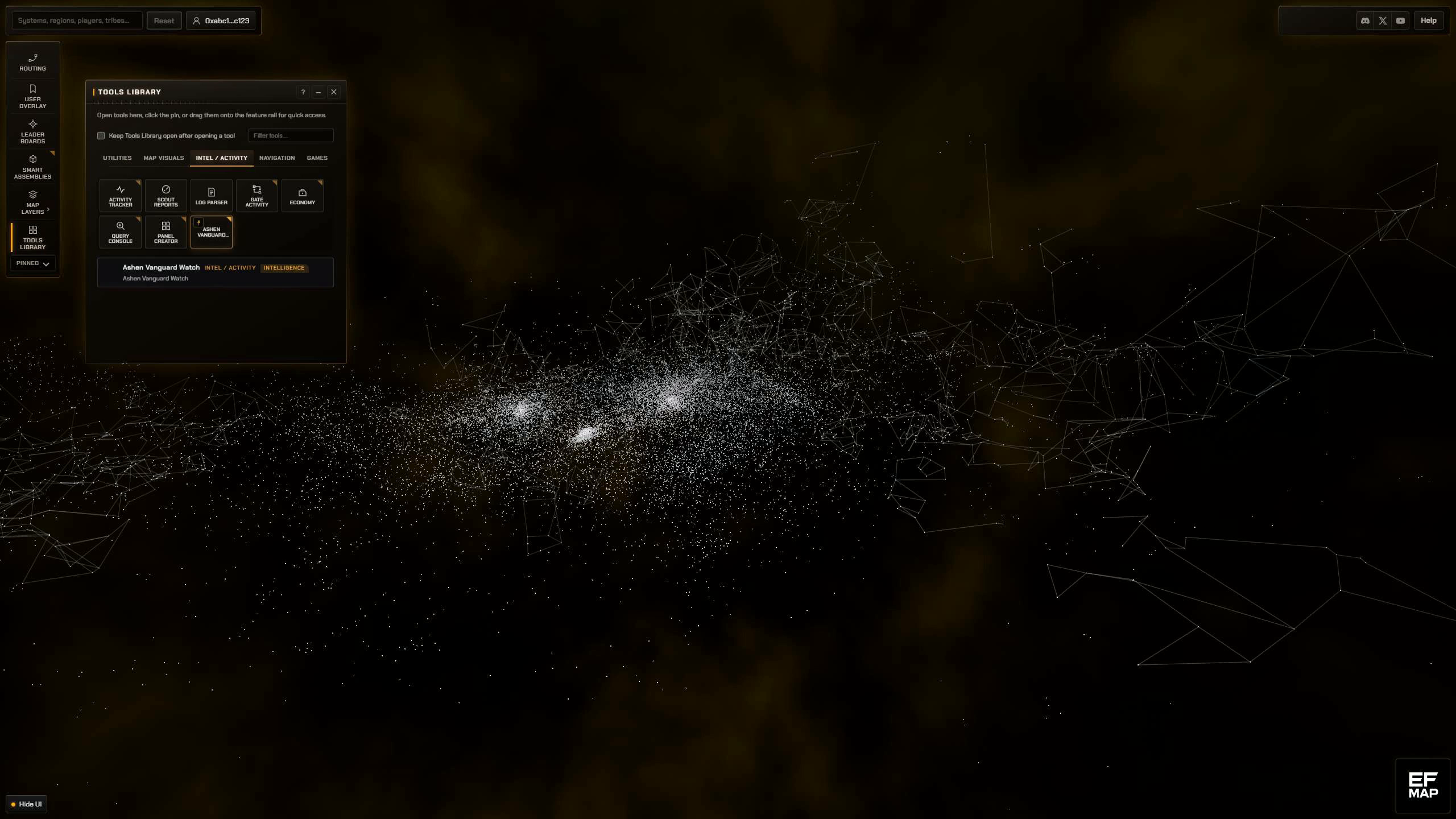
The bit that makes this feel finished to me is that a panel you built yourself is not a second-class citizen. It gets its own Tools Library entry under the name you gave it, it opens like any other tool, you can pin it to the feature bar on the left, and it is still there next time you come back. Delete the panel and those entries go with it. Close the window and they do not.
Panels live in your browser by default, which is deliberate, because it means they keep working signed out, offline, and for anyone who never signs in at all. Sign in with your wallet and the definitions get backed up encrypted, one document per account, and merged across your devices, so the panel you built at the desktop is on the laptop. That runs on sign-in and after an edit, never on a timer. Sync is not gated behind the subscription either. And if you let Intelligence lapse, the panels and their widgets survive and just show the locked state until you come back.
Panels can be shared as a link too, if you are signed in. That mints a frozen snapshot of one panel's definition, the titles, the chart types and the queries, so later edits on your side do not change what the other person already has. There is no wallet in it and no results in it. Whoever opens the link can preview the widget list and add the panel to their own browser, no sign-in needed, where it becomes an ordinary panel of theirs, but running the widgets needs their own subscription, because that is a live database query hitting my VPS and it has to be. Links last 90 days.
The bits I would rather tell you myself
Caps first. Six widgets to a panel, twelve panels. Those are not technical limits, that is me being careful with a thing that hits a real database, and the plan says revisit those numbers with evidence and not before. Nothing auto-refreshes, in any panel you build. Widgets run when you open the panel, and after that only when you press refresh, per widget or for the whole panel, and each one tells you how old its data is. Two run at a time and the rest queue.
The no-refresh part looks like a missing feature so it is worth explaining. A built-in dashboard serves one cached snapshot to everybody, so it costs the same whether nobody opens it or the whole game does. A custom panel runs live queries per viewer, so the cost is queries times widgets times people times refreshes, and a panel quietly polling away in a background tab that nobody is looking at is exactly how that gets away from me. I would rather you press a button. The other honest gap is that this is desktop only for now. Mobile was out of scope for version one and I have not changed my mind on that yet, though I might.
All of this sits behind EF-Map Intelligence, which is the paid track, and that post is still the straight account of what is free and what is not.
So that is version one, and I do mean version one. The genuinely interesting thing about this feature, at least to me, is that what gets built next stops being a guess. If it turns out a lot of people are trying to answer a question the current datasets cannot reach, that is a new dataset on the server rather than me deciding in advance what EVE Frontier players want to know. The Panel Creator is at ef-map.com for anyone with Intelligence. If you build something good with it, or you hit a wall, let me know and I will get it looked at.
Music in the demo video: Decoherence by Scott Buckley, licensed CC BY 4.0, www.scottbuckley.com.au.
Related Posts
- The Query Console: Ask the EVE Frontier Indexer Your Own Questions - the single-question tool the panels are built on top of
- Gate Activity: Who Owns the Jump Network in EVE Frontier - one of the built-in dashboards, and the shape a custom panel is copying
- I went to bed and the agents kept building: a night of AI development in numbers - how this feature actually got built, mostly while I was asleep
- EF-Map Intelligence: What It Is, What Stays Free, and Why It Costs 100 Testnet EVE - what sits behind the subscription, and what does not